




BricsCAD Lite V25 - Volume Upgrade from Lite V24 to Lite V25 (LIT-VL-PER-UPG-V24-1Y) - Plot it Skip to Main Content

BricsCAD Lite V25 - Volume Upgrade from Lite V24 to Lite V25 (LIT-VL-PER-UPG-V24-1Y)

What's Included

**PROMOTIONAL PRICING AVAILABLE UNTIL 31ST DECEMBER 2025**

£130.80 inc VAT

£109.00 ex VAT

Quantity

Would you like to talk to a specialist about this product?

Bricsys
BricsCAD Lite V25 – Volume 3-Year Subscription New (LIT-VL-SUB-NEW-NA-3Y)

BricsCAD Lite V25 – Volume 3-Year Subscription New (LIT-VL-SUB-N...

From

£942.00inc VAT

£785.00ex VAT

Bricsys
BricsCAD Lite V25 – Volume 3-Year Subscription Renewal (LIT-VL-SUB-REN-NA-3Y)

BricsCAD Lite V25 – Volume 3-Year Subscription Renewal (LIT-VL-S...

From

£942.00inc VAT

£785.00ex VAT

Bricsys
BricsCAD Lite V25 – Volume Annual Maintenance New (LIT-VL-MNT-NEW-NA-1Y)

BricsCAD Lite V25 – Volume Annual Maintenance New (LIT-VL-MNT-NE...

From

£130.80inc VAT

£109.00ex VAT

Bricsys
BricsCAD Lite V25 – Volume Annual Subscription New (LIT-VL-SUB-NEW-NA-1Y)

BricsCAD Lite V25 – Volume Annual Subscription New (LIT-VL-SUB-N...

From

£348.00inc VAT

£290.00ex VAT

Bricsys
BricsCAD Lite V25 – Volume Annual Subscription Renewal (LIT-VL-SUB-REN-NA-1Y)

BricsCAD Lite V25 – Volume Annual Subscription Renewal (LIT-VL-S...

From

£348.00inc VAT

£290.00ex VAT

Bricsys
BricsCAD Lite V25 – Volume Perpetual (LIT-VL-PER-NEW-V25-1Y)

BricsCAD Lite V25 – Volume Perpetual (LIT-VL-PER-NEW-V25-1Y)

From

£654.00inc VAT

£545.00ex VAT

Bricsys
BricsCAD Lite V25 – Volume Perpetual from Current Lite w/ Annual Maintenance New (LIT-VL-COM-UPG-V25-1Y)

BricsCAD Lite V25 – Volume Perpetual from Current Lite w/ Annual...

From

£196.20inc VAT

£163.50ex VAT

All you need to know about the BricsCAD Lite V25 – Volume Upgrade from Lite V24 to Lite V25 (LIT-VL-PER-UPG-V24-1Y)

BricsCAD Lite is highly compatible with AutoCAD®

BricsCAD Lite V25 – Single User Upgrade from V24 Lite to V25 Lite (LIT-SU-PER-UPG-V24-1Y):

Provides a volume-based upgrade for users transitioning from BricsCAD Lite V24 to the latest BricsCAD Lite V25. This upgrade enables users to access the enhanced capabilities and improved features of the new version, ensuring they remain up-to-date with the latest advancements. The upgrade is tailored for companies or organisations requiring multiple licenses, streamlining the process for bulk adoption of the upgraded software. The transition to V25 brings significant performance enhancements, new productivity tools, and a more intuitive user interface, ensuring that the software remains competitive in a rapidly evolving market.

The volume upgrade is a one-year subscription, allowing users to renew for continued access to future updates and improvements. This package is designed for users who already have BricsCAD Lite V24 and wish to upgrade to the new version, offering an efficient and cost-effective way to keep their software current. It provides a smooth upgrade path, eliminating the need to manually purchase individual upgrades for multiple users, and ensures that teams can seamlessly collaborate on projects with the latest tools at their disposal.

This upgrade is ideal for BricsCAD Lite V24 perpetual licence holders who want to stay current with the latest tools and support, while securing lifetime access to the improved V25 version.
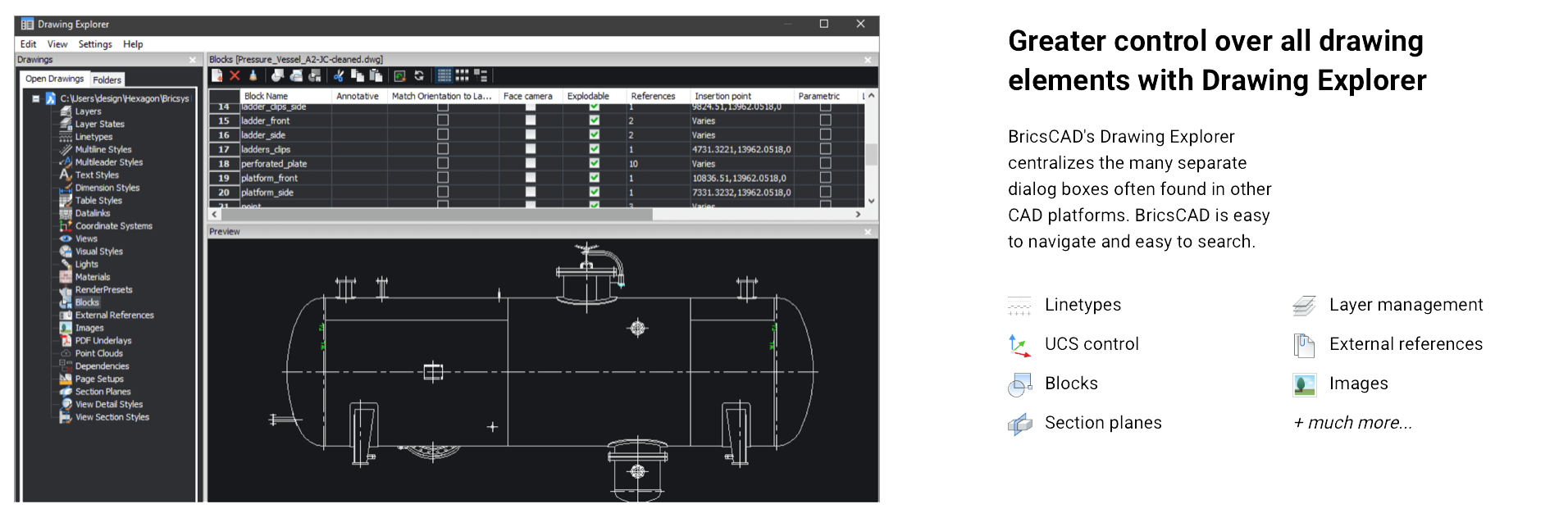
 

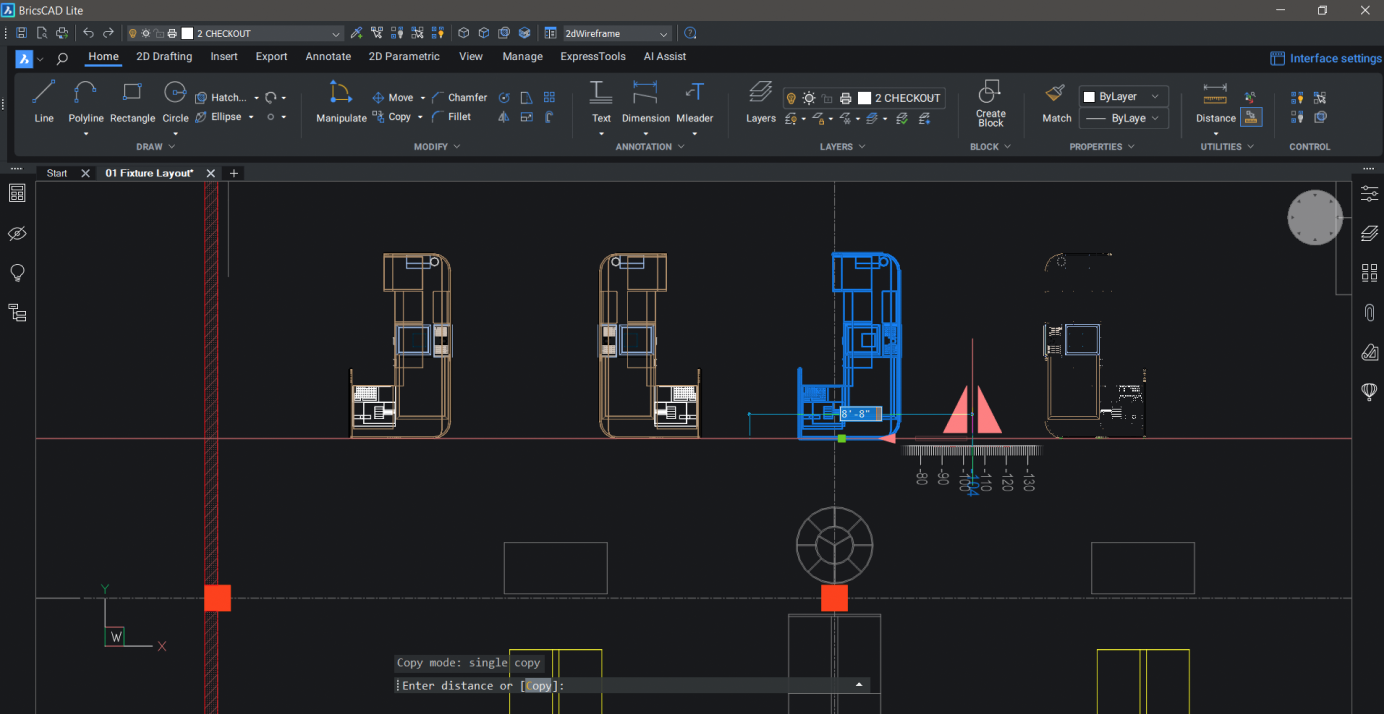
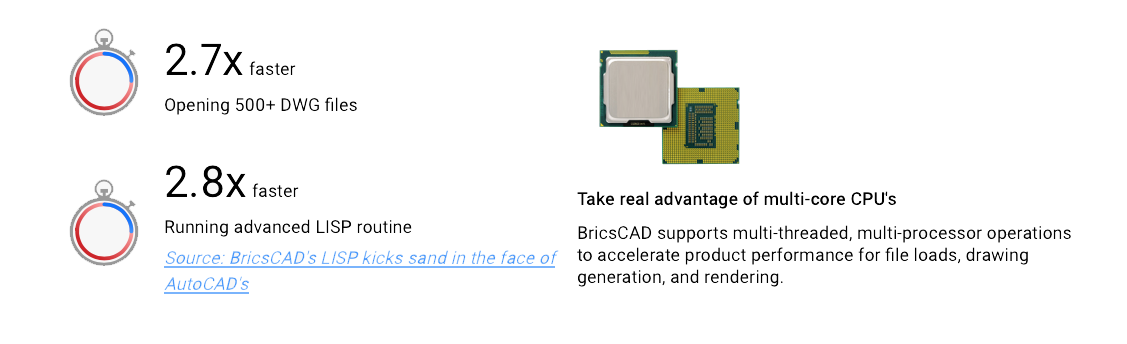
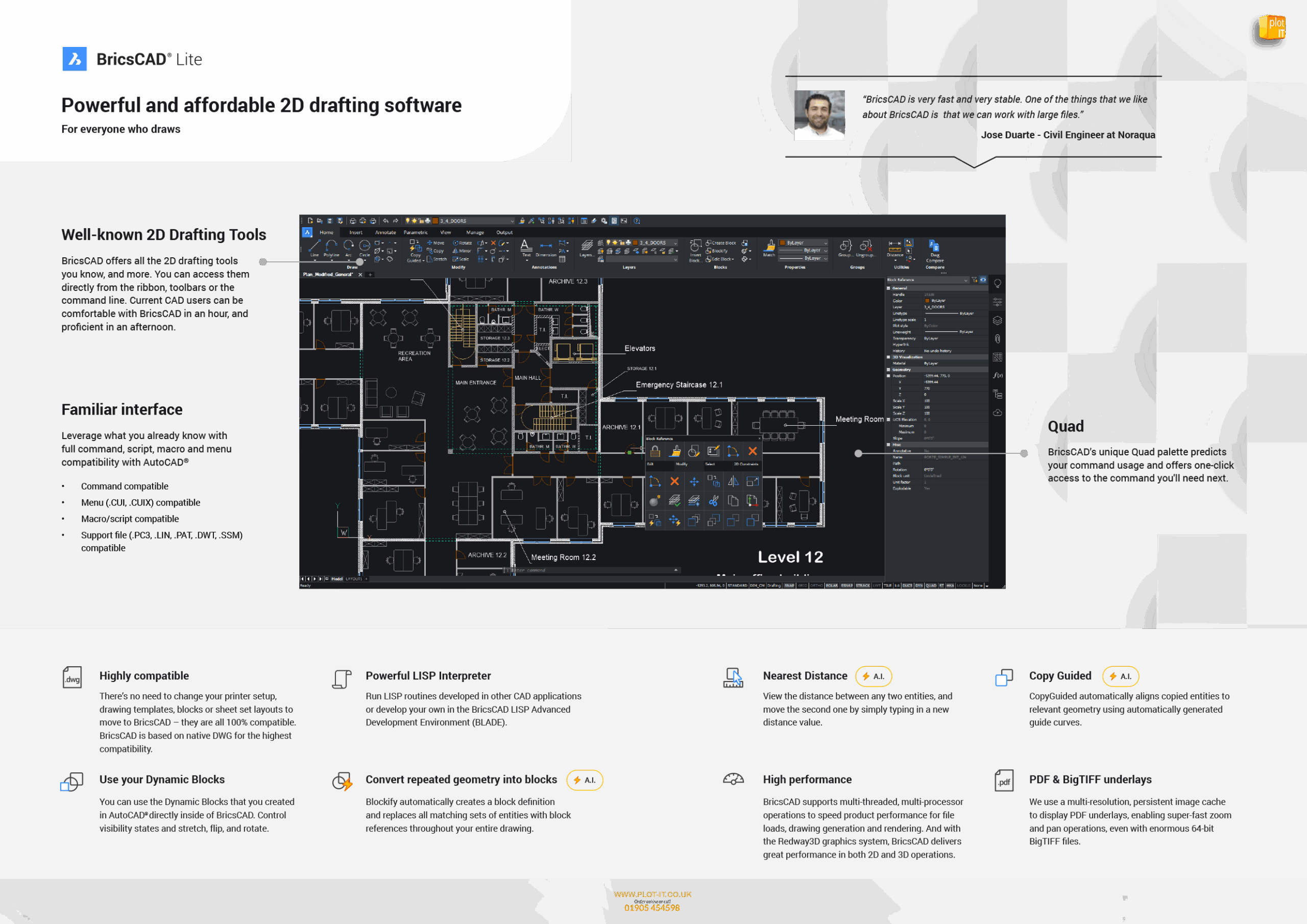
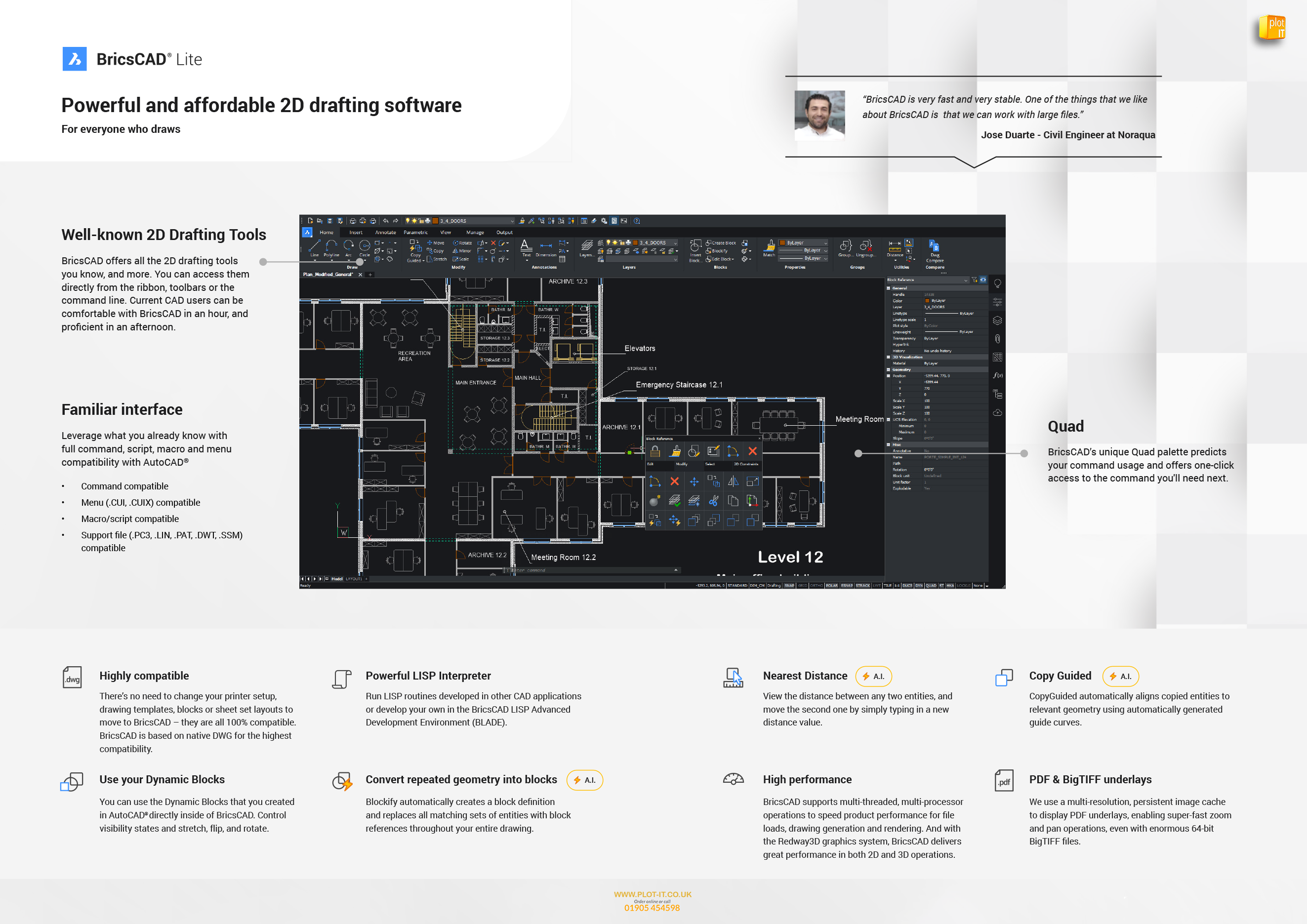
BricsCAD Lite is compatible with existing AutoCAD® workflows, allowing users to transition seamlessly and continue working with their existing customisations. The software also supports LISP routines, enabling the automation of repetitive tasks to improve efficiency.

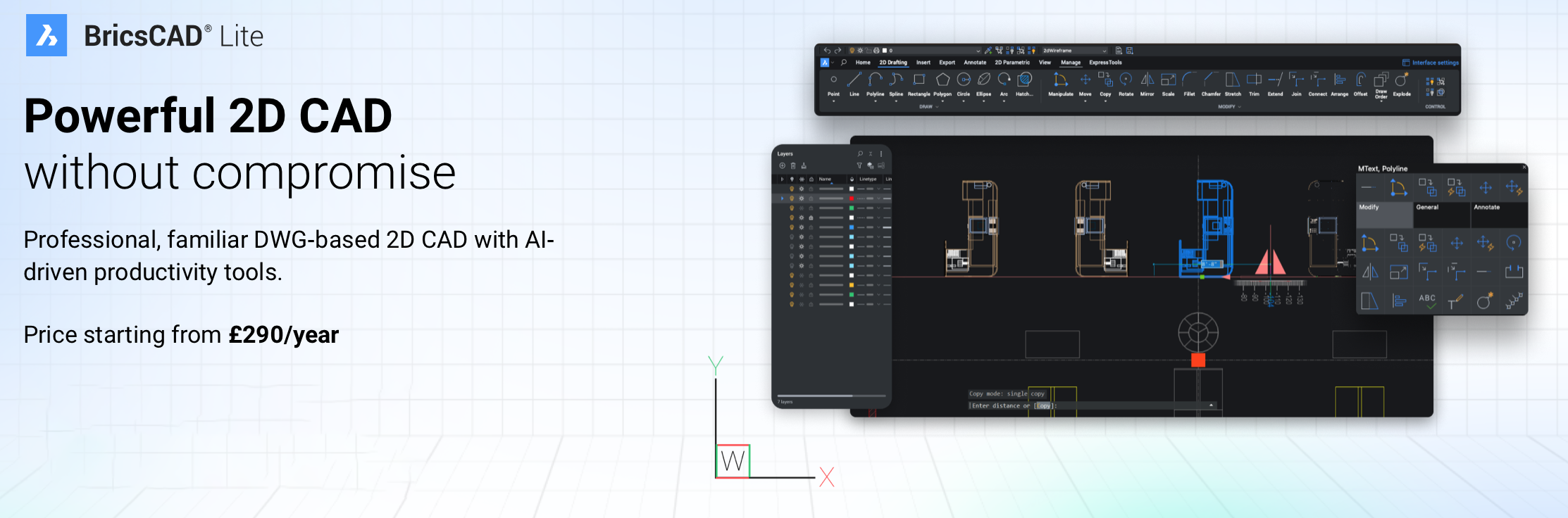
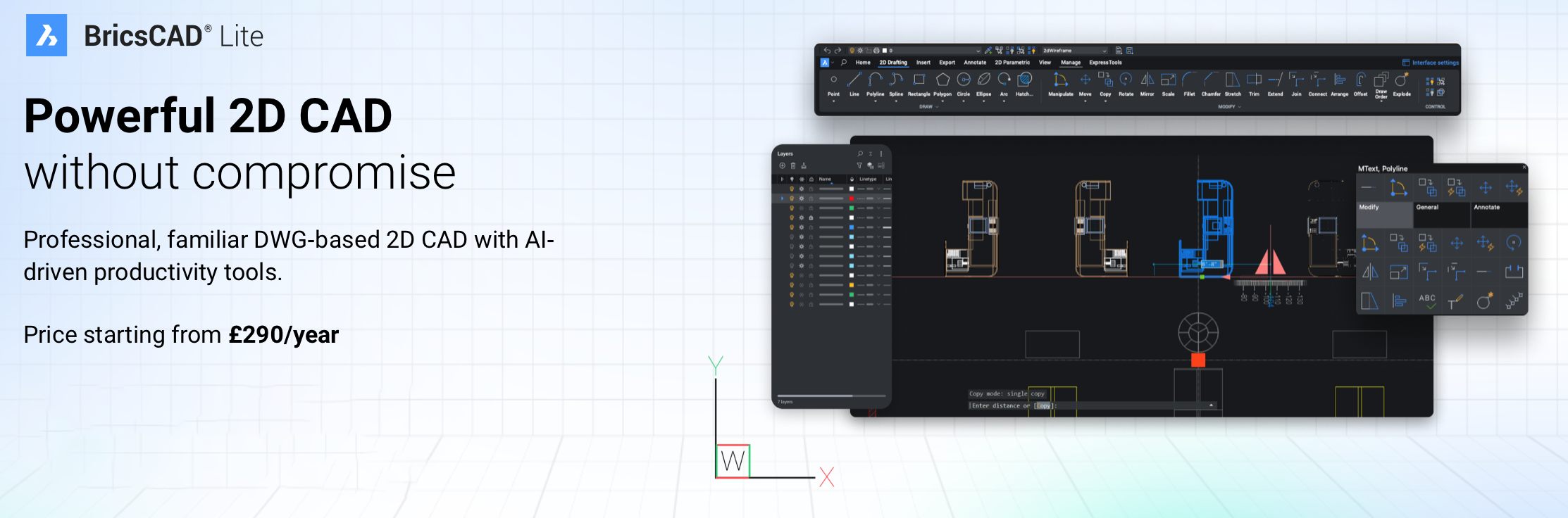
Ideal for professionals in architecture, engineering, and construction, BricsCAD Lite delivers powerful 2D drafting capabilities at an affordable price.
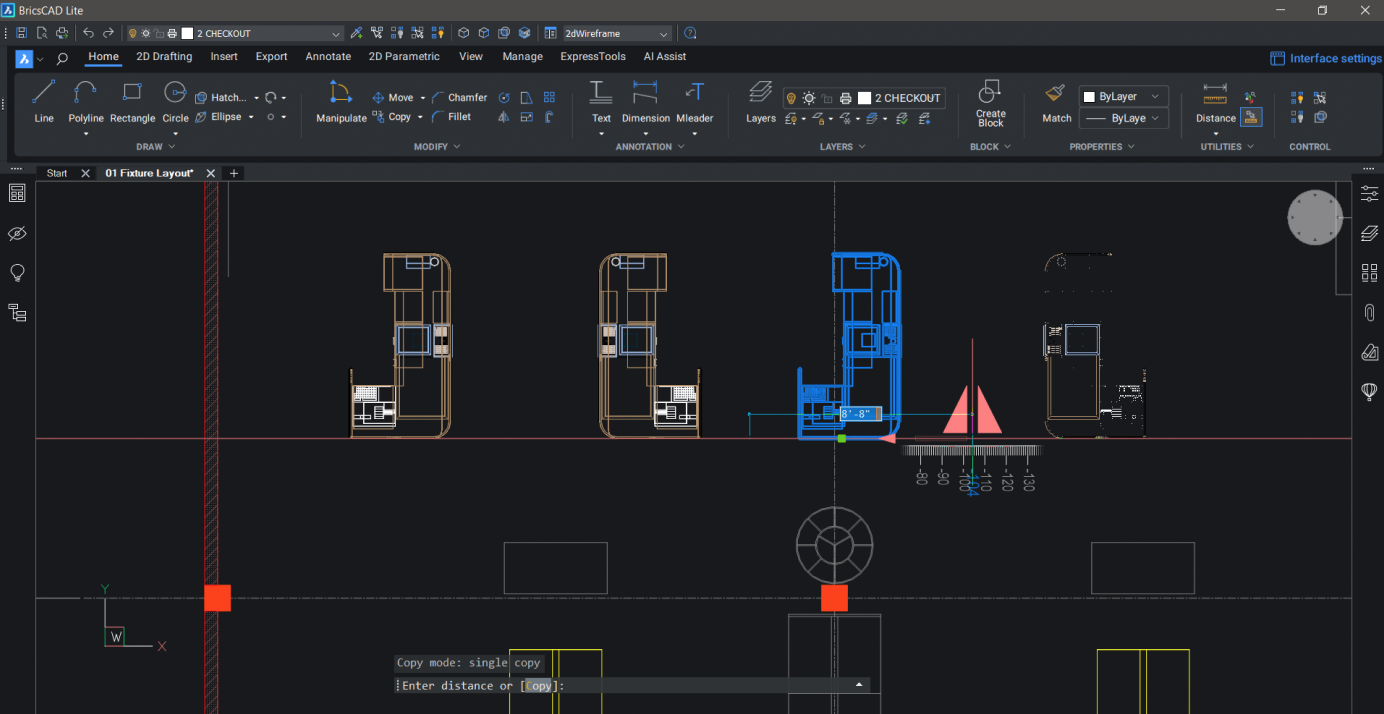


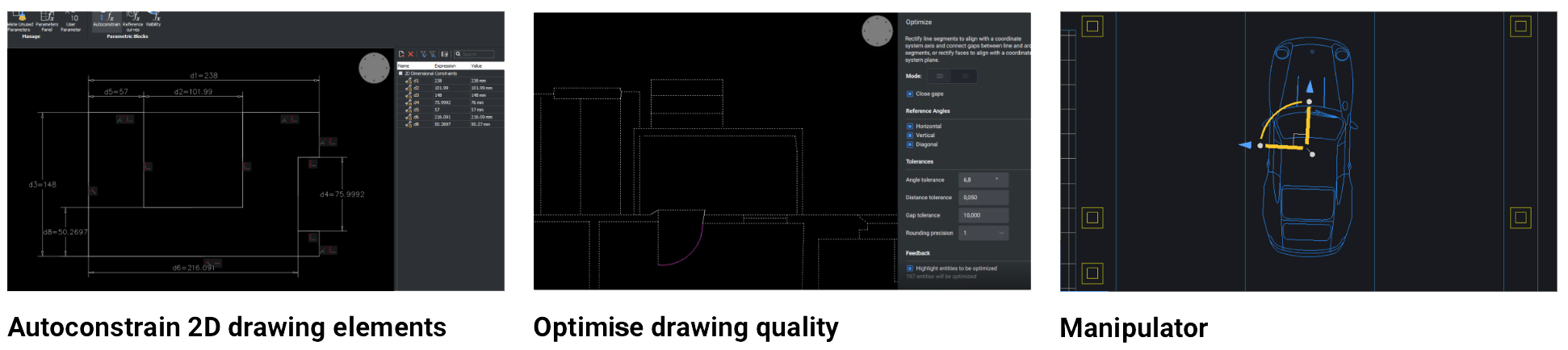
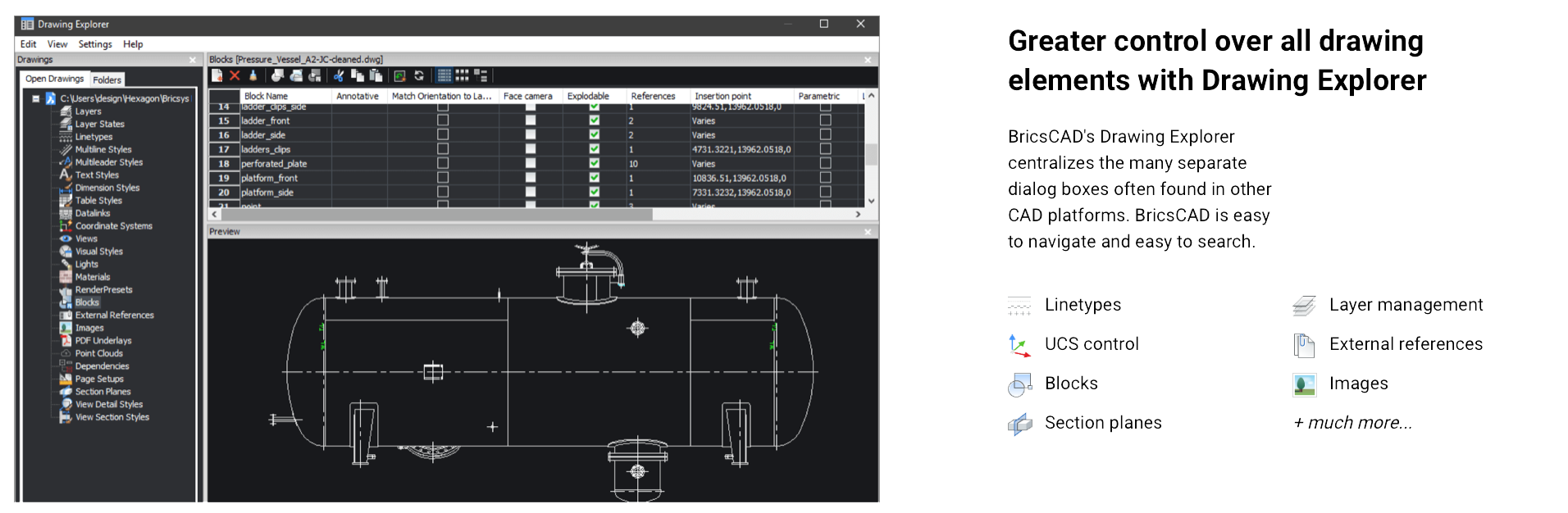
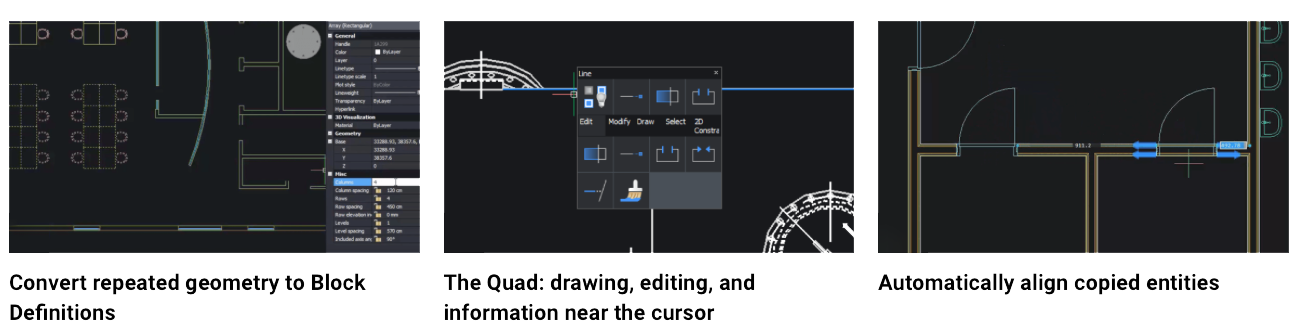
BricsCAD Lite V25 is designed to optimise 2D drafting with enhanced efficiency and compatibility features for AutoCAD users, offering robust support for the DWG format, command compatibility, and familiar tools. Key features include new machine learning-driven commands that improve task automation, such as the BLOCKIFY tool, which identifies repeated geometry and converts it to blocks, reducing file size. The COPYGUIDED function enables precise alignment when copying entities, and the Drawing Explorer centralises drawing management for easier navigation across layers, blocks, and external references.
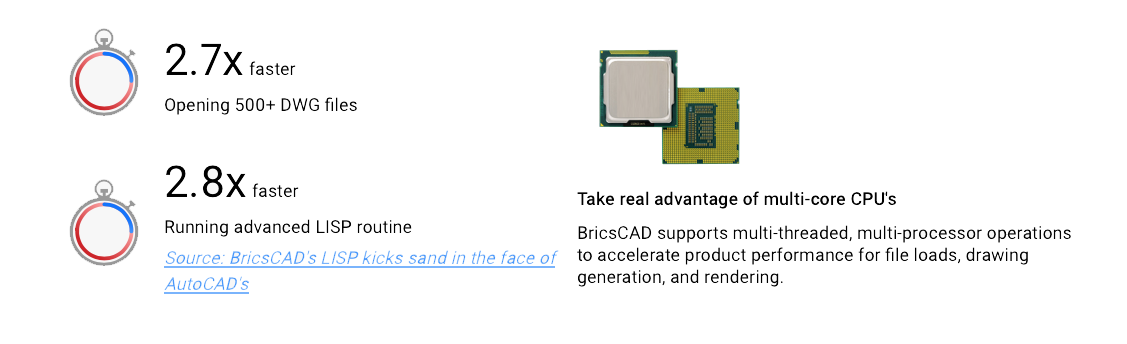
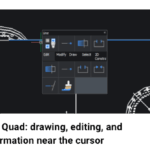
The latest update also introduces an enhanced Sheet Set Manager for improved collaboration, particularly useful in multi-user environments. Additionally, the Lite version includes the updated Quad cursor menu, offering predictive command options to speed up workflow and reduce manual input. Interoperability is bolstered by full LISP compatibility, so existing AutoCAD routines can be utilized, and custom automation can be developed efficiently.
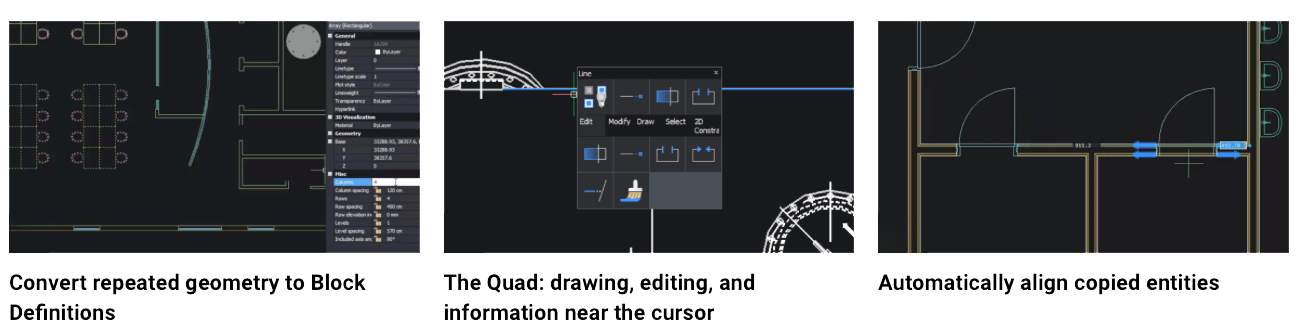
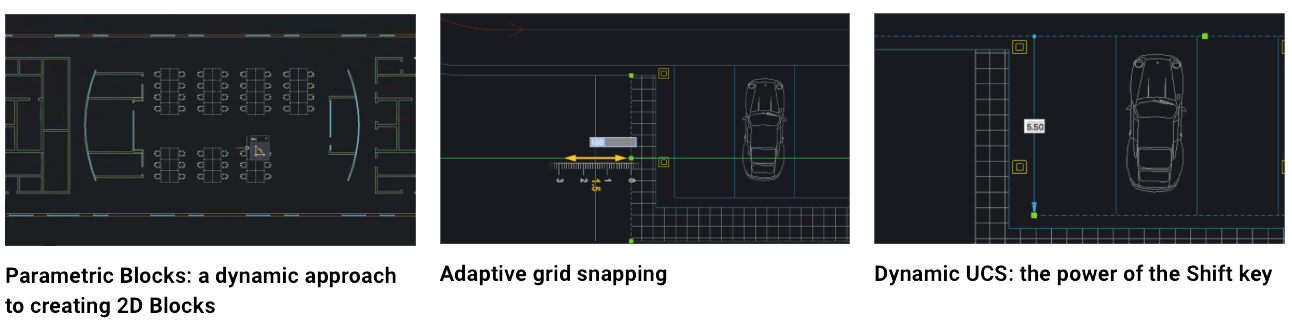
The platform is built to support both traditional drafting and more complex workflows, making it a flexible solution for professionals seeking a cost-effective alternative to AutoCAD without sacrificing functionality or speed. For users transitioning from AutoCAD, BricsCAD Lite provides familiar tools and a seamless experience with no need to adjust existing DWG-based workflows.
 

BricsCAD LITE OVERVIEW


USER INTERFACE – CUI SHORTCUTS *ENHANCED*:
Improved search for missing attachments and better panel status updates.

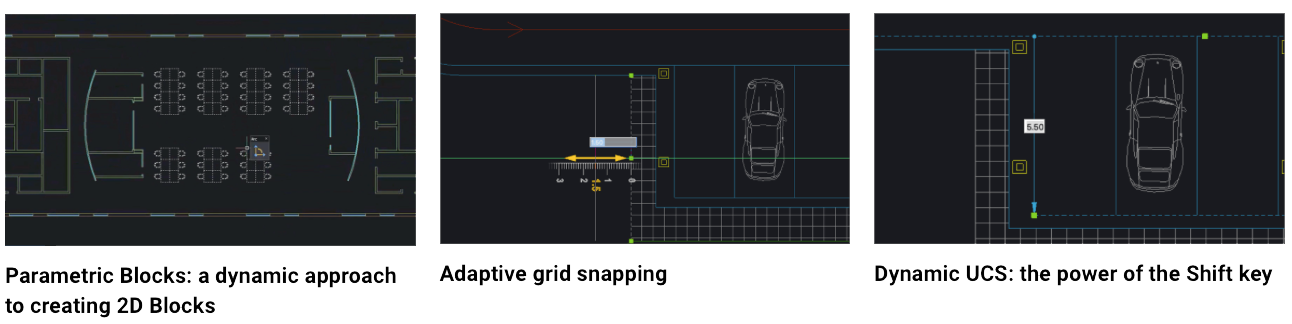
BUILT-IN PARAMETRIC, 2D & 3D BLOCKS LIBRARY *ENHANCED*:
Work with familiar features in your workflows with the enhanced Blocks Library.

ETRANSMIT *ENHANCED*:
Users can now choose between binding or inserting external references directly from the ETRANSMIT dialog.

INPUT HISTORY *NEW*:
Now access and re-use input history from the command line and command context menus.

SELECTION CYCLING *NEW*:
Selection Cycling makes selecting overlapping entities simple in BricsCAD.

TRIM *ENHANCED*:
TRIM now features better boundary detection, quick mode, trim on hatch, and other usability enhancements.

2D REFERENCE PARAMETERS *NEW*:
BricsCAD now supports AutoCAD® style 2D reference parameters.

ATTACHMENTS *ENHANCED*:
Improved search for missing attachments and better panel status updates.

COLOURBOOKS *ENHANCED*:
Encrypted coloUr books are now supported in BricsCAD V25.

CURSORMODE *NEW*:
Choose to switch the cursor to a solid color mode for better legibility hovering over raster imagery.

DIMJOGGED / DIMJOGLINE *NEW*:
New DIMJOGGED and DIMJOGLINE commands are available in BricsCAD V25.

EXPORTTOAUTOCAD *NEW*:
Creates a new version of a drawing file with AEC entities converted into BLOCKs.

MIRROR *NEW*:
MIRROR now retains temporary tracker graphics to improve the overall user experience.

PEDITEX *ENHANCED*:
Implemented a streamlined method for modifying PLINEs (Polylines).

QUICKCALC *ENHANCED*:
The calculator is now available for use in the numeric fields of the Properties Panel.

SCALE *NEW*:
SCALE now offers a dynamic preview when dragging the mouse cursor to set an entity’s scale factor.

TABLE – AUTOFILL *ENHANCED*:
Now easily click and drag to autofill TABLE cells.

TABLE – ROW & COLUMN SECTION *ENHANCED*:
Now select rows and columns by selecting the column heading or the row number.

VPSCALE *ENHANCED*:
Viewport scale controls added to the Status Bar for setting the layout scale simply.

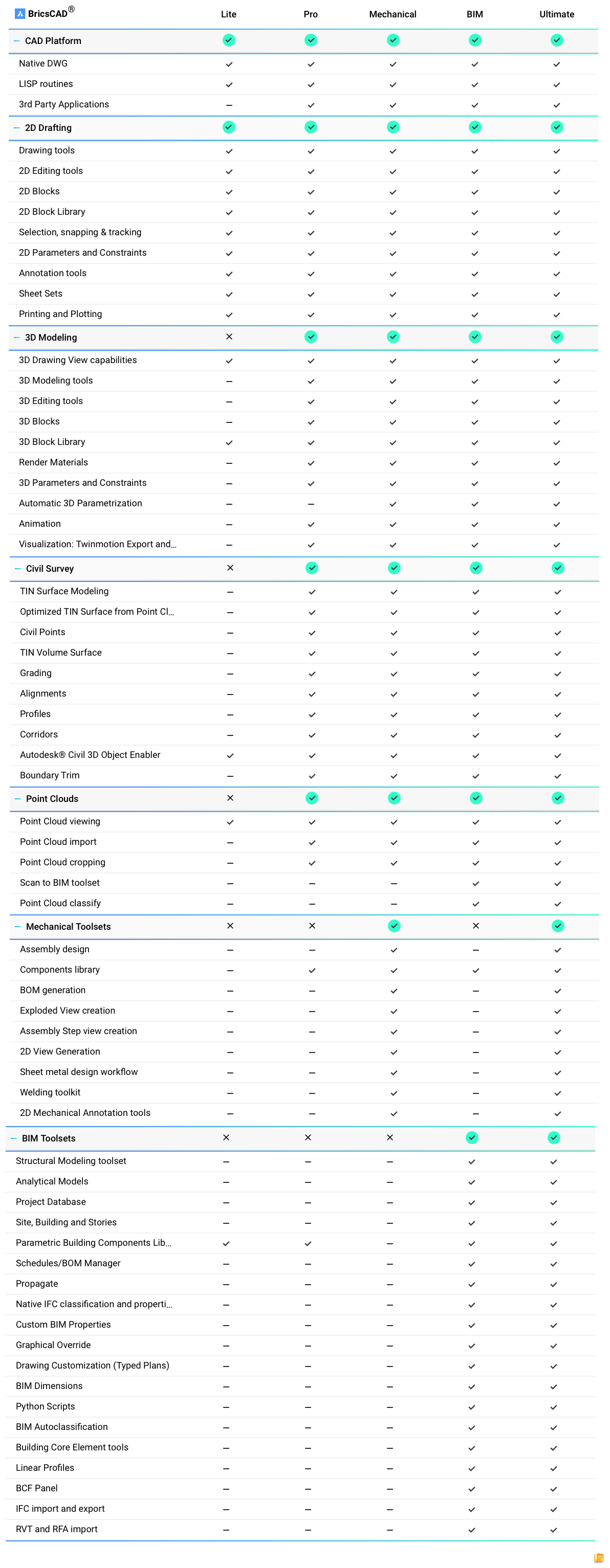
BRICSCAD COMPARISON CHART

V25 LAUNCH:

What's New in BricsCAD® V25 │ Breakout Session

FEATURE SINGLE USER LICENCE NETWORK LICENCE VOLUME LICENCE
DEPLOYMENT Installed and activated on an individual user's computer. Installed on multiple machines and managed via a local licence server. Installed across multiple machines using a single licence key.
LICENCE SHARING Not shareable, tied to one machine at a time. Licences are distributed by a server and limited to the number of purchased seats. Allocated to a defined group of users, each with access as required.
MOBILITY Can be deactivated and reactivated on different machines (manual process). Supports roaming to temporarily use licences offline, managed by the licence server. Users can access licences on any machine within the assigned user group.
MAINTENANCE Optional BricsCAD Maintenance available for updates and support. Requires BricsCAD Maintenance for continued updates and support. Usually includes one year of Maintenance for updates and support.
IDEAL FOR Individual users or small teams using dedicated machines. Organisations with multiple users requiring concurrent access, managed by IT administrators. Larger organisations needing flexible deployment and management for a specific group of users.

Sign up to our newsletter to get the latest news, special offers & exclusive deals.

Sign up
Trustpilot