

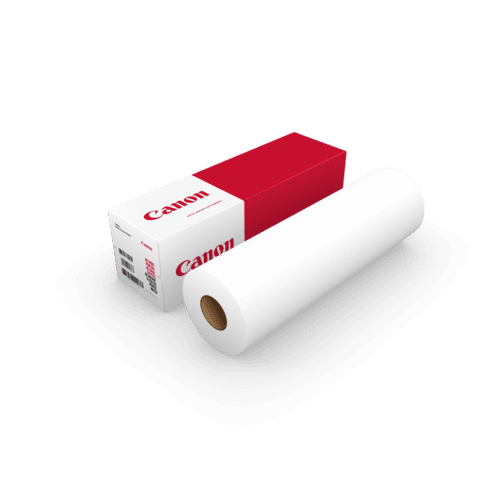

Canon IJM022 Standard Paper Plus FSC® A2 420mm x 120m - 90gsm - Plot it Skip to Main Content

📣 Last few days remaining – NEC UK Photo Show 2026 Special: 5% off Hahnemühle with code TPSEVENT 

core_size

Core Size
2 inch

width__size

Width / Size
420mm / A2

media-finish

Media Finish
Matte Coated

Download

Download
Brochure

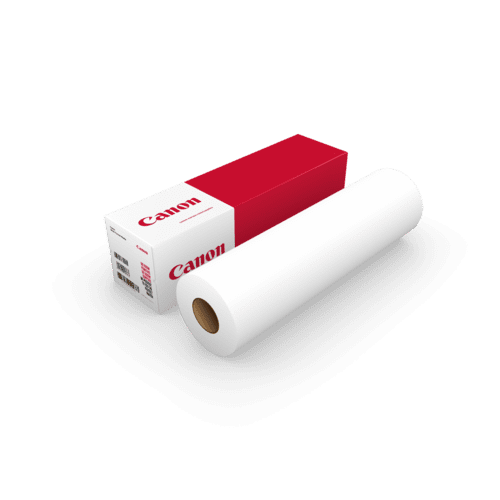
Canon IJM022 Standard Paper Plus FSC® A2 420mm x 120m - 90gsm

MPN: 97074825

£33.54 inc VAT

£27.95 ex VAT

Quantity

Would you like to talk to a specialist about this product?

Canon
Canon IJM009 Draft Paper PEFC 36″ 914mm x 50m – 75gsm (Box 3)

Canon IJM009 Draft Paper PEFC 36″ 914mm x 50m – 75gsm (Box...

From

£46.68inc VAT

£38.90ex VAT

Canon
Canon IJM009 Draft Paper PEFC 36″ 914mm x 150m – 75gsm

Canon IJM009 Draft Paper PEFC 36″ 914mm x 150m – 75gsm

From

£40.79inc VAT

£33.99ex VAT

Canon
Canon IJM009 Draft Paper PEFC 36″ 914mm x 120m – 75gsm

Canon IJM009 Draft Paper PEFC 36″ 914mm x 120m – 75gsm

From

£35.99inc VAT

£29.99ex VAT

Canon
Canon IJM009 Draft Paper PEFC 36″ 914mm x 91m – 75gsm

Canon IJM009 Draft Paper PEFC 36″ 914mm x 91m – 75gsm

From

£31.19inc VAT

£25.99ex VAT

Canon
Canon IJM021 Standard Paper FSC® 625mm x 50m – 90gsm

Canon IJM021 Standard Paper FSC® 625mm x 50m – 90gsm

From

£32.39inc VAT

£26.99ex VAT

Canon
Canon IJM021 Standard Paper FSC® 24.6″ 625mm x 110m – 90gsm

Canon IJM021 Standard Paper FSC® 24.6″ 625mm x 110m – 90gs...

From

£32.99inc VAT

£27.49ex VAT

Canon
Canon IJM021 Standard Paper FSC® A2 420mm x 50m (6 rolls) – 90gsm

Canon IJM021 Standard Paper FSC® A2 420mm x 50m (6 rolls) – 90gs...

From

£69.48inc VAT

£57.90ex VAT

Canon
Canon LFM055 Red Label Paper PEFC 36″ 914mm x 175m – 75gsm

Canon LFM055 Red Label Paper PEFC 36″ 914mm x 175m – 75gsm

From

£47.99inc VAT

£39.99ex VAT

Canon
Canon LFM054 Red Label Paper PEFC 24.4″ 620mm x 175m – 75gsm (3″ Core)

Canon LFM054 Red Label Paper PEFC 24.4″ 620mm x 175m – 75g...

From

£47.99inc VAT

£39.99ex VAT

Epson
Epson Matte Paper Heavyweight A3+ – 167gsm (50 Sheets)

Epson Matte Paper Heavyweight A3+ – 167gsm (50 Sheets)

From

£44.99inc VAT

£37.49ex VAT

Xativa
Xativa Colour Inkjet Paper XCIJP90 A1 594mm x 50m – 90gsm (Box 4)

Xativa Colour Inkjet Paper XCIJP90 A1 594mm x 50m – 90gsm (Box 4...

From

£40.79inc VAT

£33.99ex VAT

Xerox
Xerox Performance Uncoated Inkjet paper (FSC) 90g/m² 003r97762 36″ 914mm x 50m (4 rolls)

Xerox Performance Uncoated Inkjet paper (FSC) 90g/m² 003r97762 36&#824...

From

£71.94inc VAT

£59.95ex VAT

All you need to know about the Canon IJM022 Standard Paper Plus FSC® A2 420mm x 120m – 90gsm

CANON CARTRIDGE BANNER

Canon IJM022 Top Colour Paper FSC® 90g/m² is high-white surface treated on both sides, FSC® certified paper for CAD and GIS applications. The paper has a high brightness that provides excellent contrast, perfect line sharpness and high colour density.
 
IJM022 is suitable for both dye and pigmented inks. Its special surface treatment enhances its properties in humid weather conditions outdoor.
 
Ideal for field-based work including GIS, Surveying and general construction where humid conditions exist. 


APPLICATIONS / FEATURES:

  • High white
  • Splash-water proof
  • Both sides surface treated
  • Compatible with dye and pigment
  • ECF pulp wood-free
  • ISO 9706 / DIN 6738 standard for permanence
  • ISO 9001 / 14001 certified
  • FSC® certified
  • 2" core
  • Colour and monochrome CAD and GIS plots
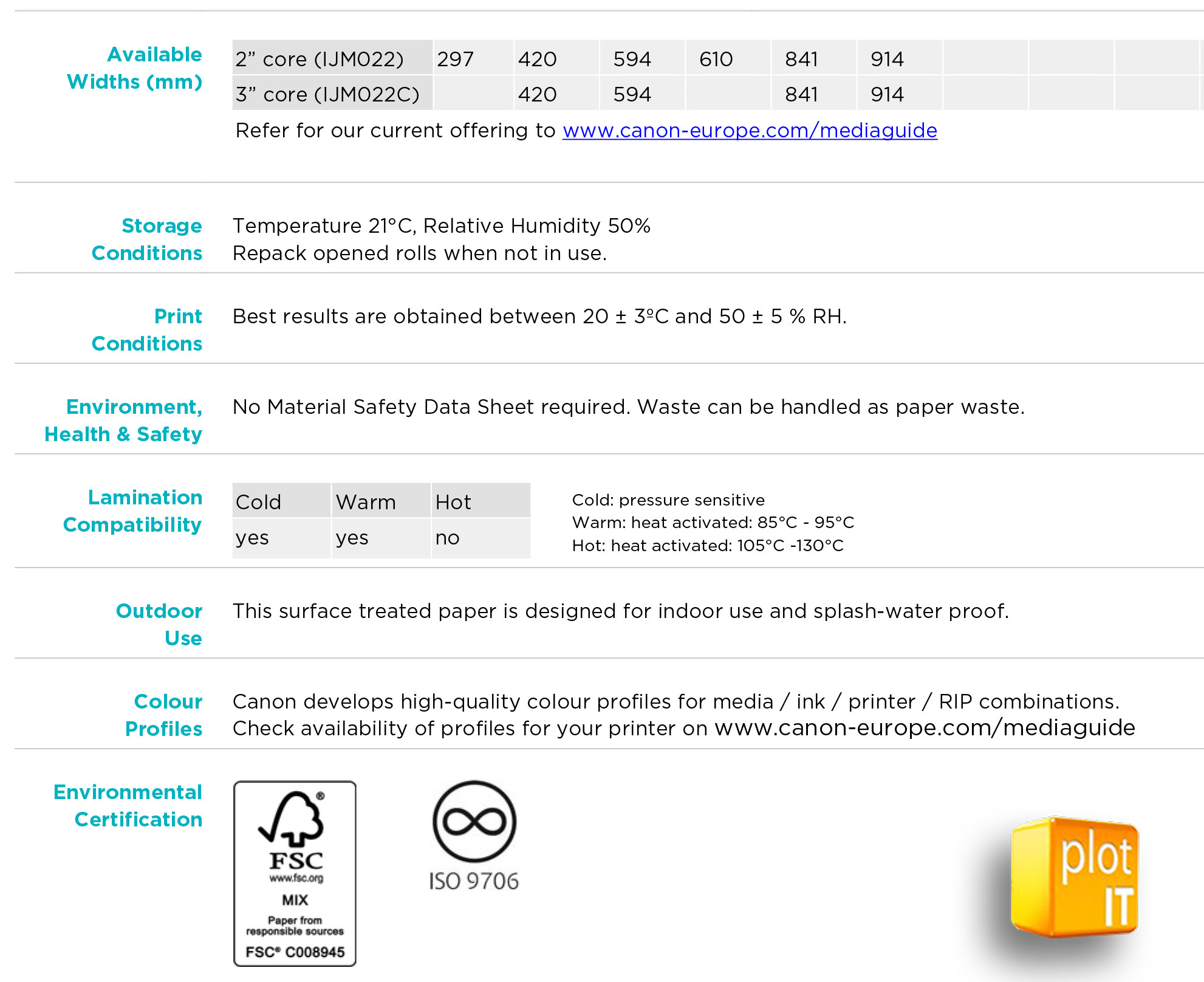
 

Oce IMJ022 Additional Info

Oce IMJ022 Spec

Allow material to adapt to room conditions for 24 hours before printing. Side to be printed is the outer side of the roll. Make sure that the media comes not into contact with grease, oil, silicon, and dirt to avoid printing defects.

It is recommended to handle the media with cotton gloves. Insert the paper with care in the printer. Incorrect loading can cause skewing or creasing. It is recommended to calibrate the printer before printing and to make a test print. Print results will vary for different printer ink combinations. Ink restrictions and printer settings should be set for specific printer-ink combinations to obtain the best results.


Canon media profiles include optimal ink and printer settings for Canon supported printers. Depending on fluctuations in environment, printer, ink, media and applications, printer parameters may have to be adjusted slightly, to obtain the best results. Too much ink will cause paper cockle and possible head strikes. The use of dye inks can lead to premature fading of colors.

The use of cold or warm laminates are recommended for the best results. Allow the print to dry properly before to lamination. That is at least 24 hours. Too much ink can cause cockling which can cause problems with laminating.

For mounting on a board, an encapsulating edge of 5-6mm around the image is recommended. This prevents against moisture and paper splitting because of the tension of the laminate. One sided lamination may cause curling. Use laminates of equal gauge when encapsulating to prevent image curl. Generally, lamination will only slightly improve UV resistance (pigmented inks should be used when UV resistance is required).

Sign up to our newsletter to get the latest news, special offers & exclusive deals.

Sign up
Trustpilot