









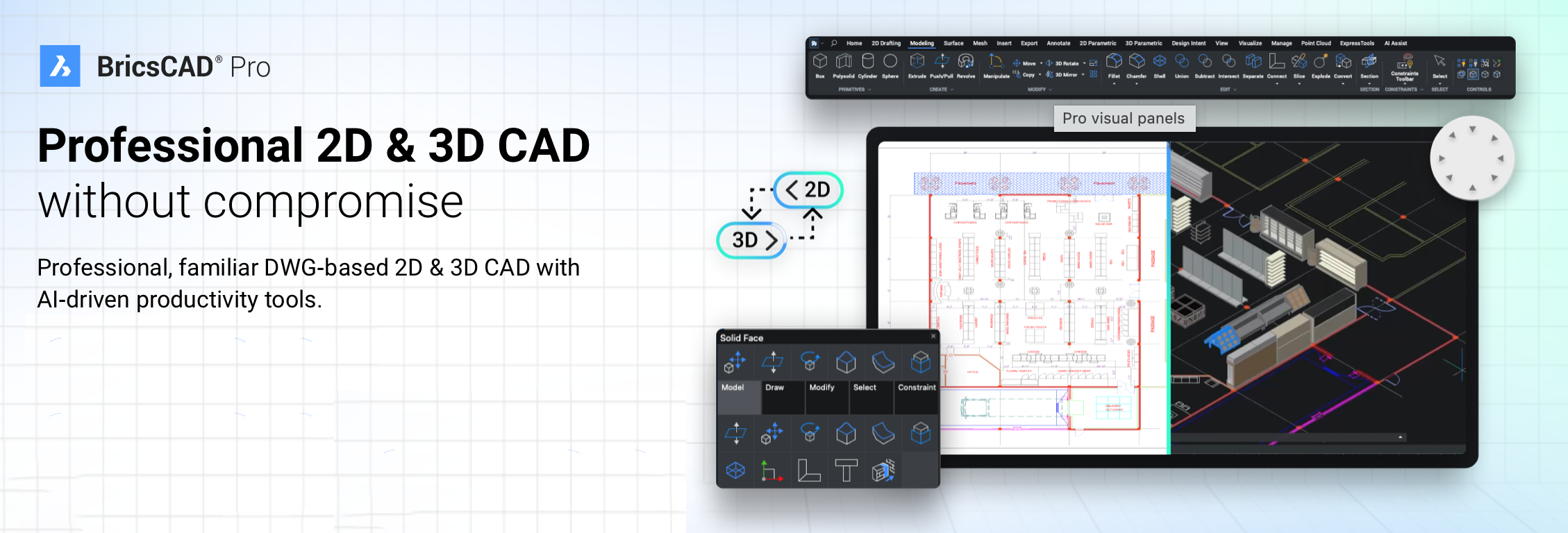
Unlock Professional Power – Advanced 2D & 3D CAD with Annual Access to BricsCAD Pro V25!
BricsCAD Pro V25 – Single User Cross-Upgrade from Lite V25 to Pro V25 (PRO-SU-PER-XGR-V25LIT-1Y):
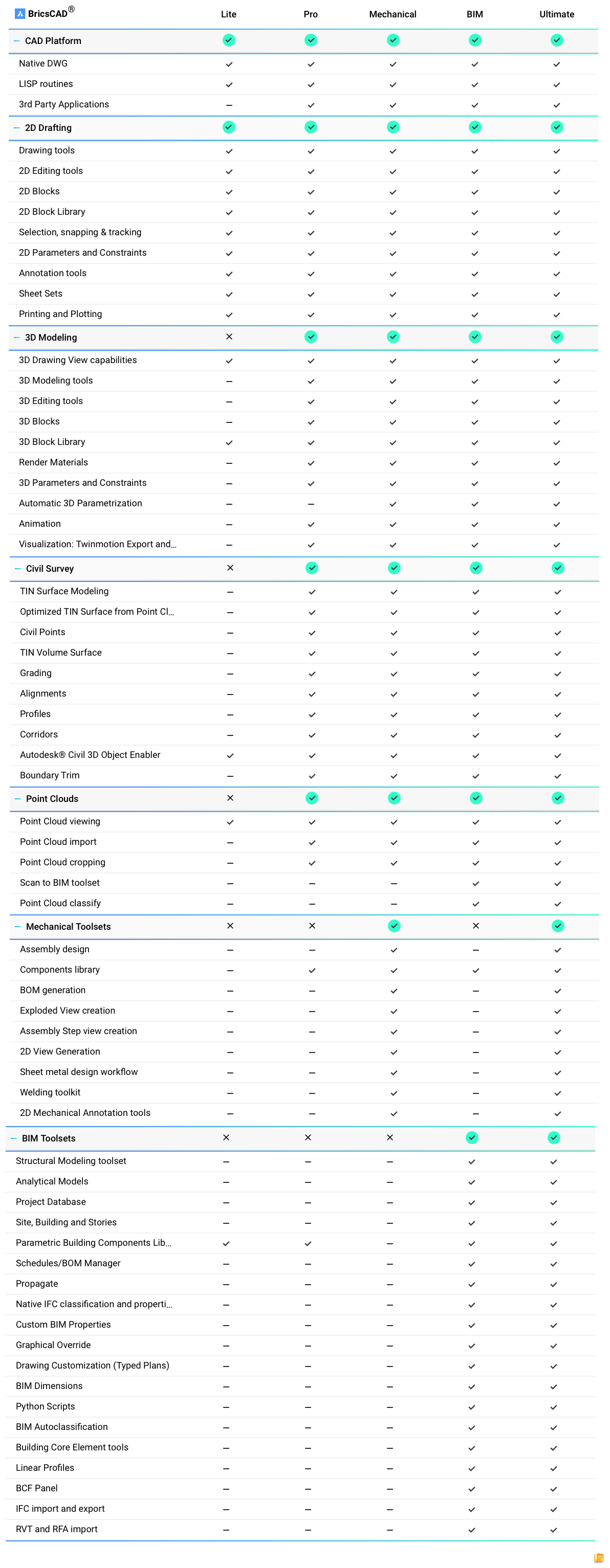
Perpetual licence upgrade that allows existing BricsCAD Lite V25 single-user perpetual licence holders to upgrade to BricsCAD Pro V25. This version introduces intelligent 3D modelling tools, including parametric solids, 3D constraints and assemblies, offering significantly more power and flexibility than the Lite edition. It is ideal for professionals ready to extend their workflows into 3D mechanical design, architecture or engineering without investing in a brand new Pro licence.
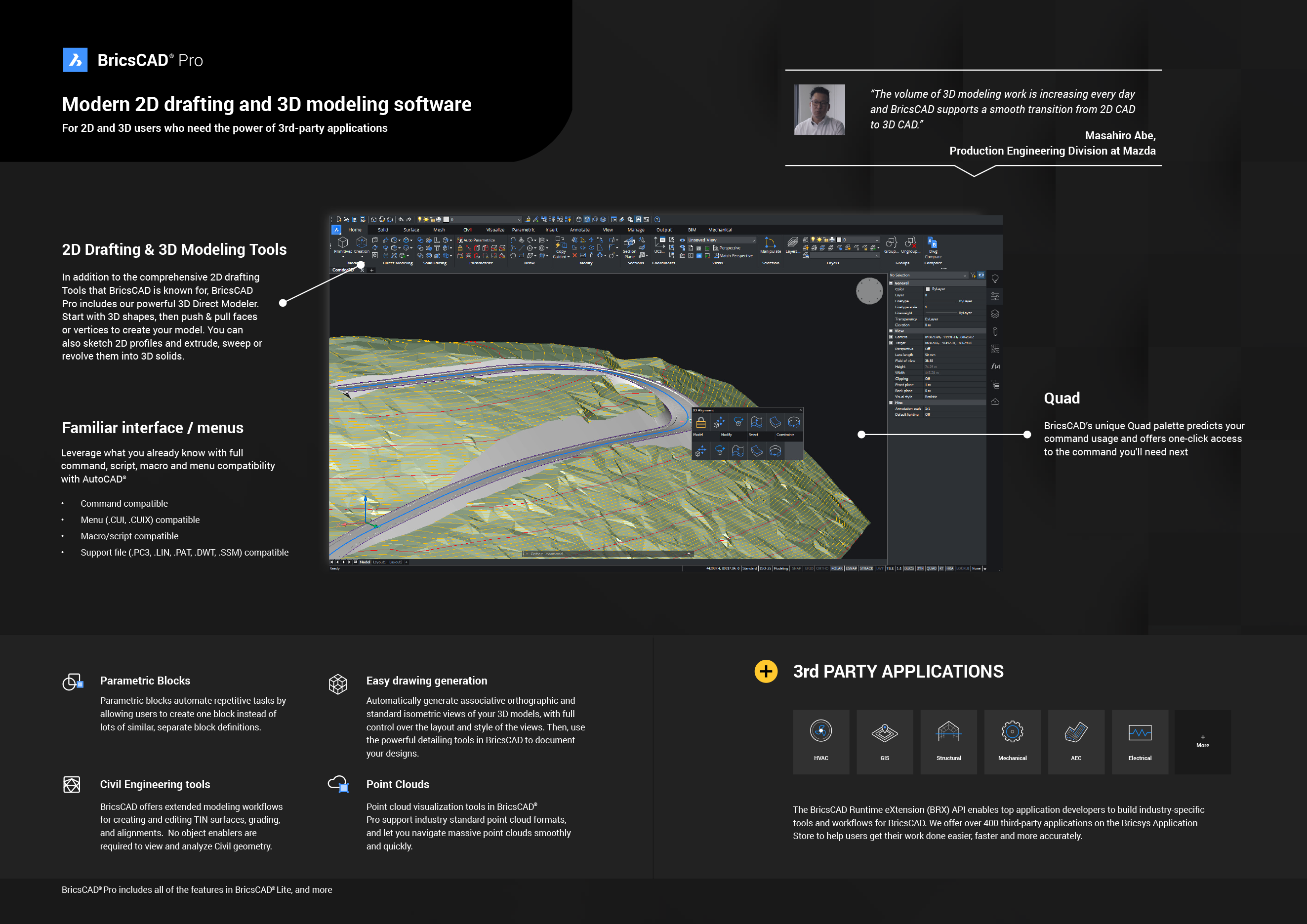
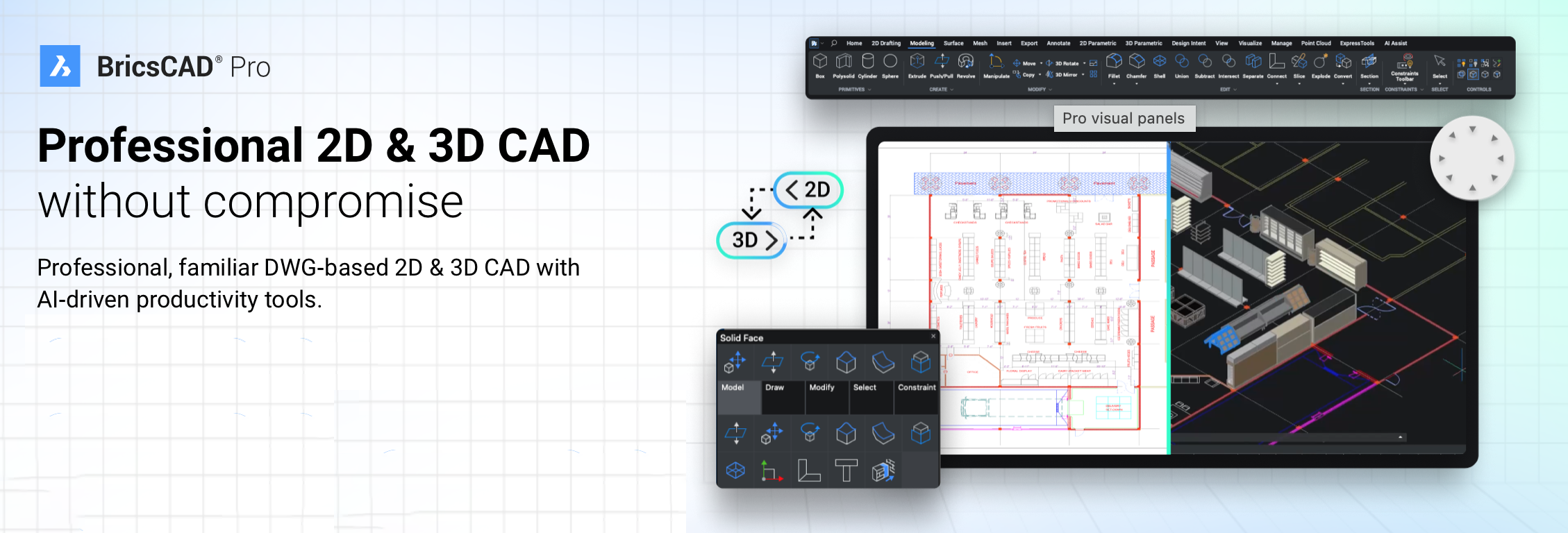
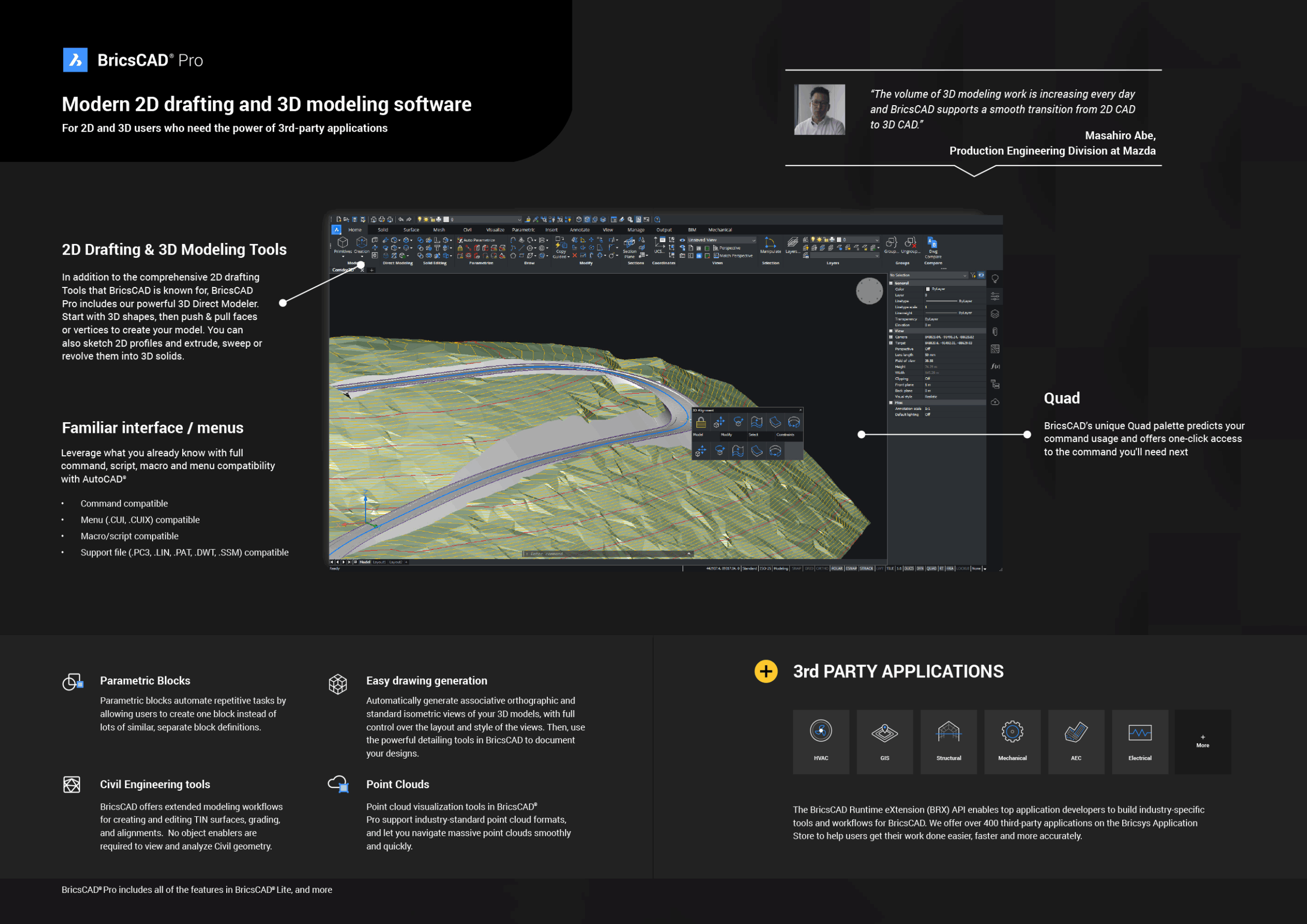
BricsCAD Pro V25 includes all the features of Lite, retaining full DWG compatibility, a familiar user interface and high-performance 2D drafting capabilities. With added tools like the Quad cursor, Blockify and CopyGuided, users benefit from AI-enhanced productivity and advanced drawing automation. Pro also supports full customisation via LISP, VBA and .NET APIs, making it suitable for technical users and businesses seeking tailored CAD solutions.
This product is a cross-upgrade only and does not include BricsCAD Maintenance. Customers will receive a perpetual BricsCAD Pro V25 licence but will not have access to future upgrades, technical support or interim releases unless maintenance is purchased separately. It offers a cost-effective path to advanced functionality for users with an existing Lite V25 licence.
To activate this upgrade, the user must already hold a valid BricsCAD Lite V25 single-user perpetual licence. It is not compatible with earlier versions of Lite or with network licences. This upgrade is designed to maximise return on investment by expanding functionality while retaining the benefits of a perpetual licence.

In addition to its solid 2D and 3D features, BricsCAD Pro includes AI-driven productivity tools like Blockify, which identifies repetitive geometry and automatically converts it into blocks, reducing file size and improving performance. Parametric constraints and 3D direct modeling empower users to create complex designs with ease, allowing for flexible and efficient editing. BricsCAD Pro also supports customisation through APIs like LISP, VBA, and C++, enabling users to create custom applications, automate workflows, and adapt the software to specific project needs.
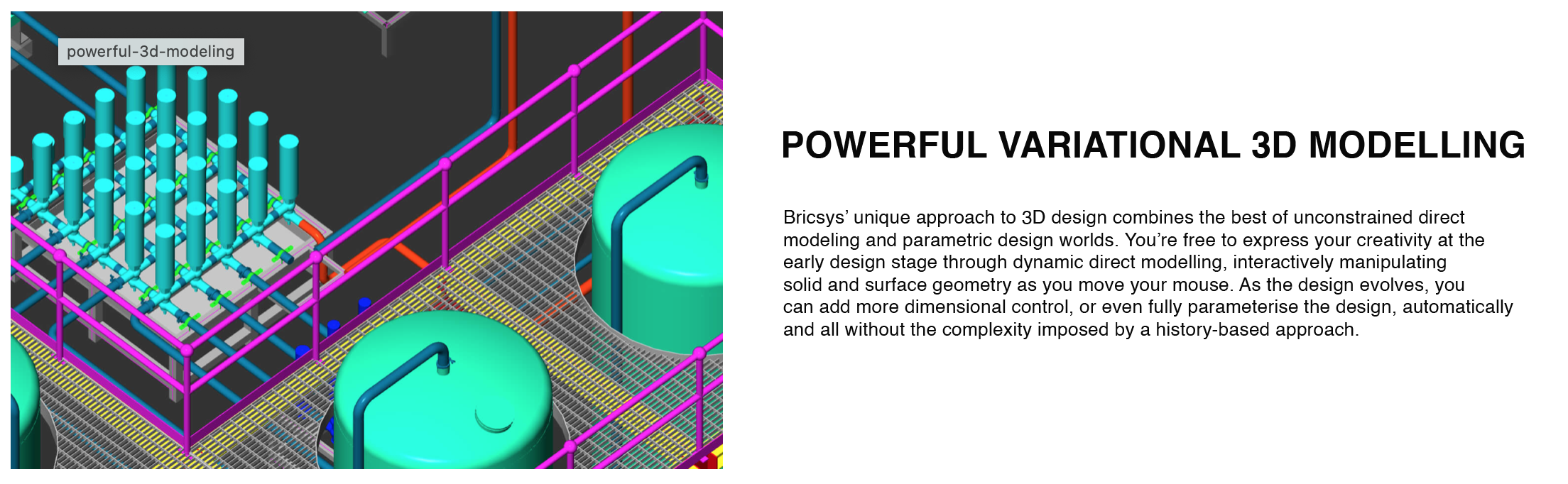
With options for perpetual licensing and annual subscriptions, BricsCAD Pro provides flexibility in how users access and manage their software, making it a versatile choice for architects, engineers, and designers focused on productivity and innovation in their CAD projects.
MAIN BENEFITS:
1. COST-EFFECTIVENESS AND LICENSING OPTIONS
- Lower Cost: BricsCAD Pro is generally more affordable than many leading CAD platforms like AutoCAD, offering similar functionalities at a reduced price, making it ideal for individuals and businesses aiming to control software costs.
- Flexible Licensing: BricsCAD Pro provides both perpetual licenses and annual subscription options, allowing users to choose a model that fits their budget and long-term needs. Many users appreciate the option to invest in a perpetual license for long-term savings, a feature less commonly available in the CAD industry.
2. DWG COMPATIBILITY & EASE OF TRANSITION
- Native DWG Support: BricsCAD Pro works natively with .dwg files, the industry-standard format for CAD. This compatibility ensures seamless interoperability with other CAD software and minimal data loss, making it easy to transition from software like AutoCAD.
- Familiar Interface: For users accustomed to other CAD platforms, BricsCAD offers an intuitive, familiar interface with similar commands, reducing the learning curve and simplifying workflow adoption.
3. ADVANCED 3D MODELLING & AI-DRIVEN TOOLS
- 3D Direct Modelling: BricsCAD Pro supports 3D direct modeling with parametric constraints, which allows for flexible editing of complex designs without needing a history-based approach. This makes it highly efficient for users who need to make quick modifications.
- AI Productivity Tools: Features like Blockify (automatic block creation from repetitive geometry), CopyGuided (AI-assisted copying of geometry with intelligent snapping), and Parametric Blocks help automate tasks and increase productivity, saving users time and effort.
4. CUSTOMISATION & API SUPPORT
- Extensive API Support: BricsCAD Pro supports LISP, VBA, C++, and .NET, enabling customisation and automation. Users can develop custom applications, scripts, and routines tailored to their specific needs, which is valuable for companies with unique requirements or workflows.
- Third-Party Applications: BricsCAD supports a growing ecosystem of third-party applications, covering a wide range of industry-specific solutions, which increases its versatility across fields like architecture, engineering, and manufacturing.
5. CROSS-PLATFORM COMPATIBILITY
- Multi-Platform Availability: BricsCAD Pro runs on Windows, macOS, and Linux, giving users flexibility across operating systems. This is particularly beneficial for teams with mixed OS environments and for individuals who prefer Linux, as many CAD solutions don’t offer native Linux support.
6. EFFICIENT PERFORMANCE
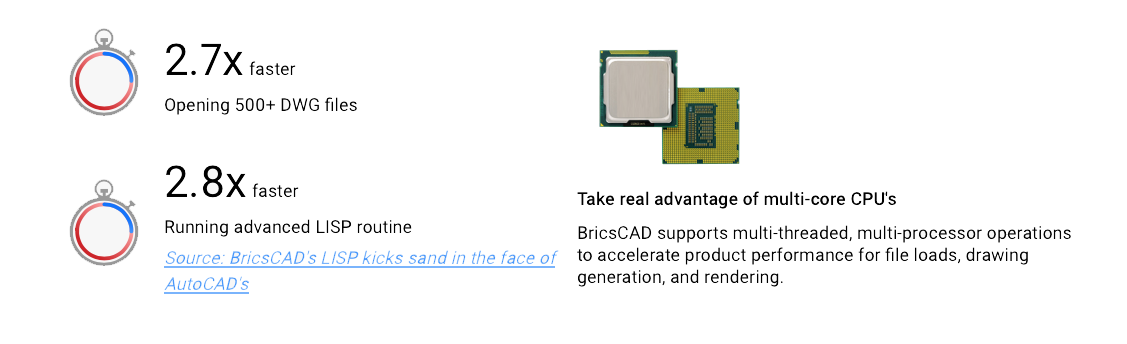
- Lightweight and Fast: BricsCAD is known for being less resource-intensive, which translates into faster performance and smaller file sizes. This efficiency is beneficial for users working on high-resolution 3D models or large-scale 2D drawings without needing high-end hardware.
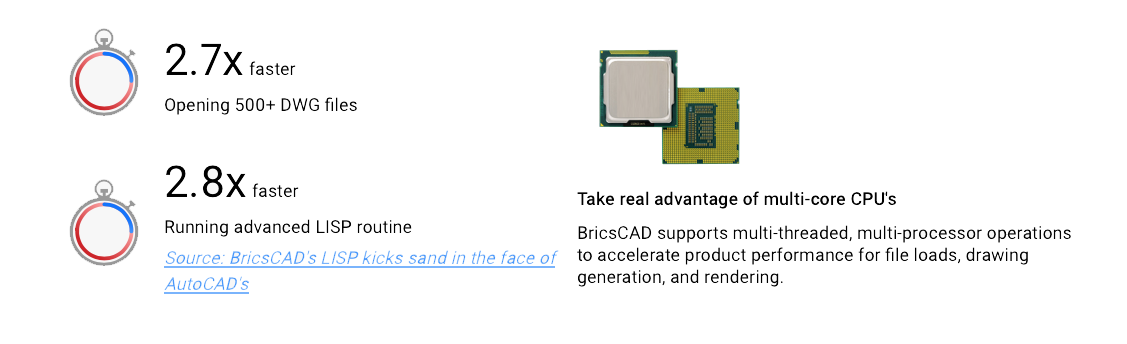
In summary, BricsCAD Pro is recognised for its cost-effective pricing, flexible licensing, powerful 3D capabilities, and productivity-boosting AI tools, alongside robust customisation and API options. These advantages make it an attractive choice for professionals looking to balance performance with affordability.