Key takeaways
- Multifunction printers have taken over the office market, and wide format is following, with print, scan and copy in one device.
- Wide format MFPs save space, simplify workflows and make scanning and archiving drawings quick and simple.
- Entry-level HP DesignJet MFPs are priced close to traditional print-only plotters – sometimes for less than a customer’s previous printer.
- The HP T830, T2600dr and XL 3800 cover everything from site cabins to high-volume production at 6 A1s per minute.
Multifunction printers have become the norm in the office, and the same shift is now happening in wide format. For architecture, engineering, construction and design teams, being able to print, scan and copy CAD drawings from one device saves space, time and money – and entry-level MFPs now cost little more than print-only plotters. Here's why, and three HP DesignJet models leading the way.
View our wide format printers
The evolution of wide format multifunction printing
Multifunction printers – also known as MFPs or eMFPs – have taken over the office printer market, and the same shift is now happening in wide format. By combining a printer, scanner and copier in one unit, businesses get a single integrated device that does more, without a significant price tag.
The HP DesignJet range offers a wide choice of entry-level MFPs with starting prices that rival traditional print-only plotters. In some cases, customers pay less than they did for their previous printer.
What are the benefits of multifunction printers?
- Space saving – office space is at a premium, and one MFP removes the need for several machines
- Improved efficiency – print, scan and copy large format documents without switching devices or juggling workflows
- Cost-effective – with entry-level models at lower-than-expected prices, MFPs are accessible to small teams and sole traders as well as large businesses
- Mobility and flexibility – many models have Wi-Fi and mobile printing, so site teams can print and share from almost anywhere
- Future-ready – as more businesses go digital, scanning and archiving documents matters, and MFPs make it quick and simple
A closer look at the HP DesignJet range
HP DesignJet offers a range of all-in-one models that combine performance, affordability and versatility. Here are three standout models, from entry level to high volume.
Entry level · A1
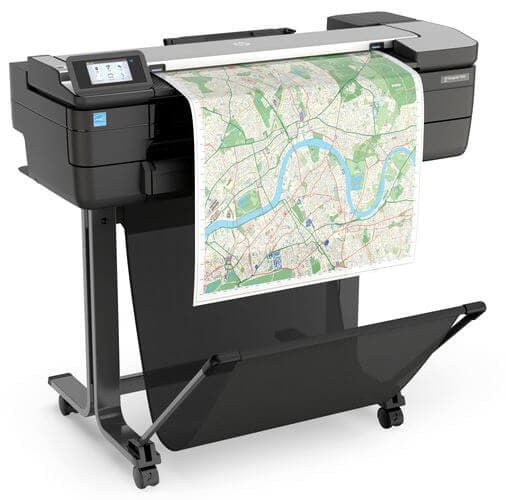
HP DesignJet T830 MFP F9A28D
A compact A1 printer that’s become a firm favourite in the CAD and technical market. It combines colour plotting with wide format scanning and copying in a very small footprint – ideal for construction sites, small technical departments and architects who want print, copy and scan in one.
- Integrated scanner with intuitive touchscreen
- Prints up to A1 (24 inches wide)
- Compact design
- Mobile printing via the HP Smart app
- Print width Up to 24in (A1)
- Best for Low-volume offices and site cabins
- Scanning Integrated, with touchscreen
View the T830
Mid volume · A0
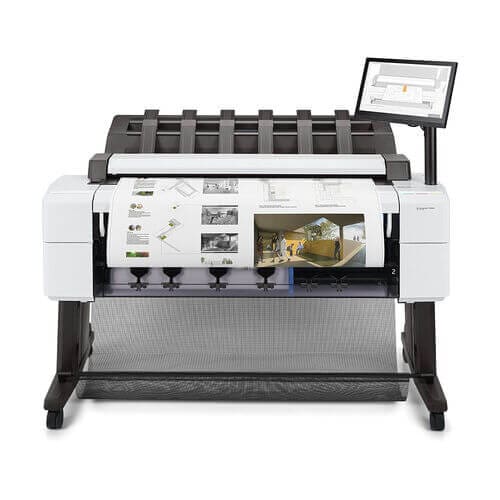
HP DesignJet T2600dr MFP
A step up in capability, the T2600 is designed for medium-volume environments that need advanced PDF handling and precision. It comes with single or dual roll feeds and an award-winning top stacker that neatly collates prints. It’s especially valued by teams working with large sets of detailed architectural, engineering and construction drawings.
- Single or dual roll
- Integrated output stacker keeps prints tidy and accessible
- PostScript support for seamless PDF printing
- Direct scan to PDF and cloud storage
- Higher print volume capacity than the T830
- Rolls Single or dual roll
- Best for Large sets of AEC drawings
- PDF handling PostScript for seamless PDF printing
View the T2600dr
High volume · A0
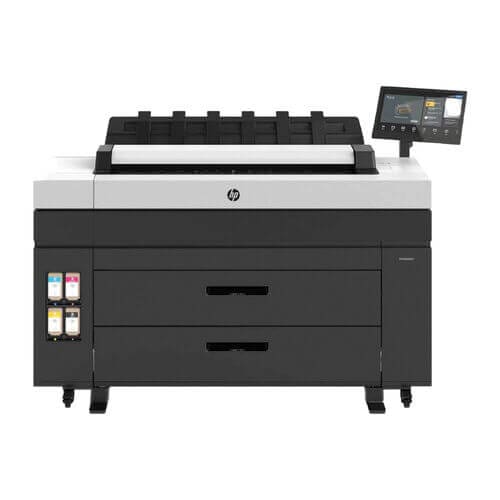
HP DesignJet XL 3800 MFP 7QR88A
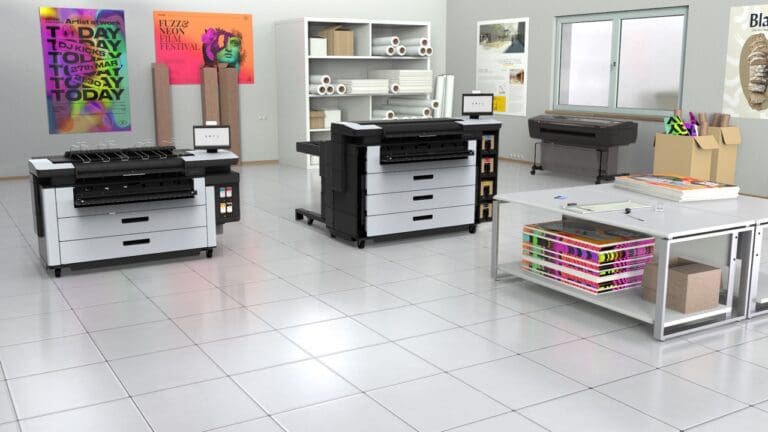
The next level in high-speed, high-volume multifunction printing. It combines rapid output with integrated scanning and copying in a compact footprint that fits into busy offices and production settings.
- Fast colour printing – up to 6 A1s per minute, with first page out in 20 seconds
- Integrated high-volume scanner
- Dual roll for uninterrupted printing and media flexibility
- Robust security, including secure boot, whitelisting and encrypted communications
With reduced energy use, a lower cost per page and minimal maintenance, it’s ideal for technical teams that want speed and sustainability.
- Speed 6 A1s per minute, first page in 20 seconds
- Best for Busy offices and production settings
- Security Secure boot, whitelisting, encrypted comms
View the XL 3800
Print-only plotter or MFP?
A print-only plotter may still suit you if…
- You never need to scan or copy large format originals
- You already have a separate wide format scanner
- Floor space isn’t a concern
Choose a wide format MFP if…
- You scan, copy or archive drawings, even occasionally
- You want one device instead of a plotter plus scanner
- You need to share and store drawings digitally
Plot-It tip: if you're replacing an old plotter and a separate scanner, compare the price of one MFP against replacing both. With entry-level DesignJet MFPs priced close to print-only models, you'll often save money as well as space.