

Key takeaways
- Despite its graphics badge, the HP DesignJet Z6 Plus Edition is a strong choice for architects who print both CAD drawings and presentation work.
- Its six-colour pigment ink set, with Matte Black and Photo Black, handles fine line work and colour-rich renders equally well.
- It takes 2" and 3" core rolls up to 91 metres, plus sheets up to 500gsm, so one printer covers drawings, displays and site signage.
- A true Adobe PostScript engine and 128GB of virtual memory make batch PDF printing fast and IT-friendly.
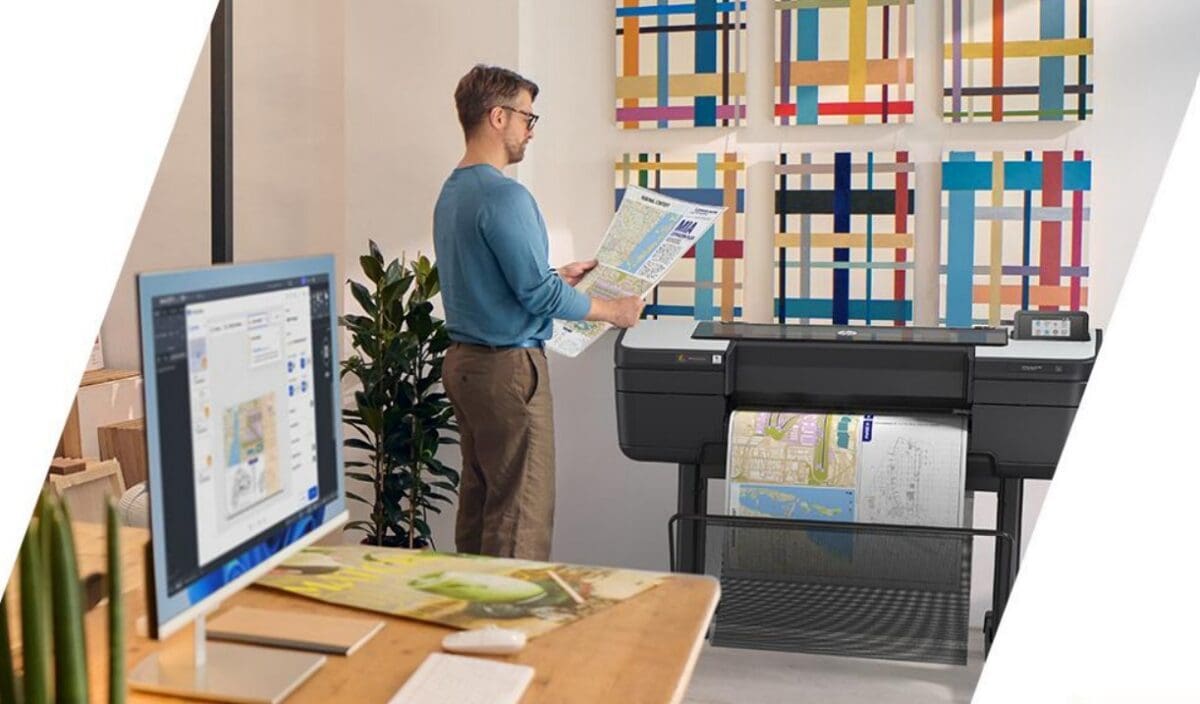
In a nutshell, yes. Despite its “Z” prefix, which is usually the preserve of graphic arts customers, the HP DesignJet Z6 Plus Edition is a really good choice for architectural use – so much so that several high-profile architectural practices are successfully using it. Here's why it works so well in CAD and BIM environments, and when one of HP's technical T-series printers might suit you better.
View the HP DesignJet Z6 24" A1
“T” is for Technical, and “Z” is for Graphics
The HP DesignJet range is very broad and can be confusing. Generally, a “T” model such as the T950, T1600 or T2600 is aimed at AEC (architecture, engineering and construction) or manufacturing businesses. Simply put, these customers mostly produce construction or manufacturing drawings, and maybe the occasional render.
HP DesignJet Z printers, however, are normally aimed at graphic arts customers: photography, art and desktop publishing. For us, though, and for the Plot it customer base, the Z6 fits really well into CAD and BIM environments as a great all-round wide format printer.
Why do we think the Z6 is a good AEC choice?
Here are the key points, which we explore in more depth below.
- Colour – the wide colour gamut of its six-colour ink set makes the Z6 an excellent choice for presentation work. With both Matte Black and Photo Black, it delivers exceptional results for line work as well.
- Media – you have a greater choice of media, as it takes both 2″ and 3″ core rolls. From standard papers to self-adhesive films and fine art material – fancy watercolouring over a print? No problem.
- Tech stuff – it’s one of the few wide format printers on the market with a true Adobe PostScript print engine. That’s great for submitting lots of PDFs quickly. Combined with more memory than the alternatives, it makes the Z6 a powerful on-site printer that the IT manager will find easy to deploy.
A little deeper
Ink
As well as great colour depth, the inks are surprisingly economical. With 300ml cartridges as standard, they’re pound for pound cheaper than many alternatives. Printheads are well priced too, and as they’re not colour-specific, you can keep one on the shelf ready to go for any ink channel.
The key feature of this ink is that it’s pigment-based rather than dye-based. If you have an older DesignJet model, it most likely uses dye ink. Pigment ink offers better light fastness and water resistance for up to six months (depending on the media), making it ideal for displays and site signage. And if your logo includes red, the Chromatic Red ink ensures accurate colour.
Media
The HP Z6 isn’t limited to paper. It handles many substrates, giving you more choice with your output – but let’s start with paper. You can use standard bond, uncoated or matte coated paper in the typical weights for CAD drawings, from a lightweight 75gsm right up to 230gsm (the maximum weight is 500gsm). For day-to-day work, 90gsm is the most popular. Because the Z6 takes either 2″ or 3″ core media, you can use longer rolls of up to 91 metres, saving money and time between roll changes. You can even print on thicker card stock via the flat rear media feed.
If you need more, we stock hundreds of media types in both rolls and sheets. With sheets you can go up to 500gsm or 0.8mm via the rear sheet feed, so if you need a standout presentation piece, the Plot it team will have it. We have short-term, low-tack textile wallpaper that uses static to apply to most surfaces, films for pop-up or backlit displays, gloss, satin and silk papers for photography, artwork and renders, as well as tracing paper and drafting films.
Technical bits that are central to the HP DesignJet Z6 Plus Edition
The addition of Adobe PostScript 3 makes handling PDFs easier – you can batch print multiple PDFs – and the DesignJet Z6 has both raster and PostScript drivers for Windows and macOS.
If you’re handling big architectural or GIS (geographic information system) renders and colour-heavy images, the Z6 is packed with memory: 128GB of virtual memory and a 500GB self-encrypting hard drive ensure swift processing of files.
The HP DesignJet Z6 Plus Edition entered the market in May 2026, building on the success of its predecessor. It’s even more AEC and GIS-friendly, with workflow enhancements for printing in Best mode on the coated and uncoated bond media typically used for drawings and maps.
Connectivity is easy, with printing from a flash drive, network or USB – and the Z6 even supports Apple AirPlay.
HP DesignJet Z6 Plus Edition at a glance
- Ink set
- 6-colour pigment, incl. Chromatic Red
- Blacks
- Matte Black and Photo Black
- Ink cartridges
- 300ml as standard
- Media
- 2" and 3" cores, rolls up to 91m
- Media weight
- Up to 500gsm / 0.8mm (sheet)
- Processing
- Adobe PostScript 3, 128GB virtual memory
Which HP DesignJet should you choose?
Choose the Z6 Plus Edition if…
- You print CAD drawings and colour presentation work or renders
- You want pigment ink for displays and site signage
- You batch print lots of PDFs and need PostScript
Choose a T-series (T830, T1600 or T2600) if…
- Your output is mostly line drawings
- You want print, copy and scan in one A1 machine (T830)
- You print high volumes and want top stacking and grey ink (T1600 / T2600)
Plot-It tip: order your day-to-day 90gsm bond on a 3" core. The Z6 takes rolls of up to 91 metres, so you'll change rolls far less often on big drawing sets, and longer rolls usually work out cheaper per metre.